How To Stay Anonymous as a Webcam Model
The Complete Privacy Checklist!
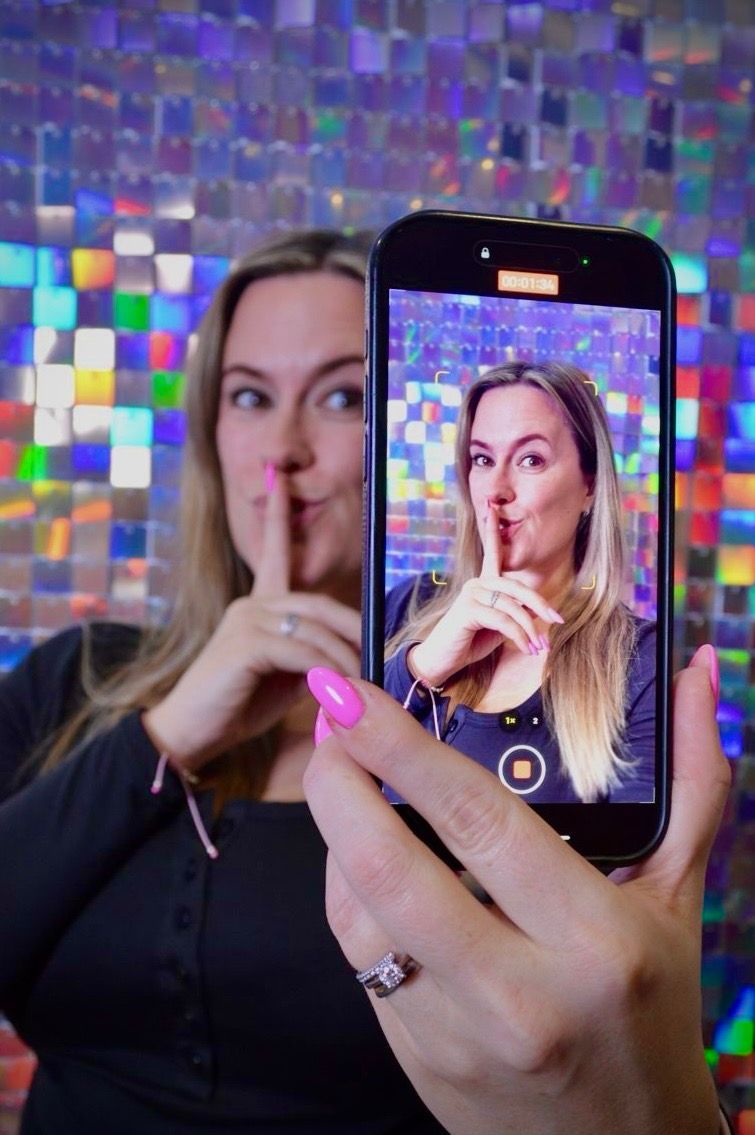
"But what if somebody I know finds me?"
It's one of the first questions many women ask when they're considering webcam modelling.
And it's a completely reasonable one.
You might have children.
You might have another job.
You might live in a small town.
Perhaps your family simply doesn't need to know what you do in your private working life.
Whatever your reason, privacy matters.
There are lots of steps you can take to reduce the chances of your webcam identity becoming connected to your everyday identity.
But before we go any further, there's something really important to understand:
Nobody can promise you complete anonymity online.
If you broadcast yourself on the internet, there is always some level of exposure risk.
Privacy measures can reduce that risk, but they cannot eliminate it completely.
So rather than promising you that nobody will ever find you, we're going to give you practical steps to help keep your webcam identity as separate from your personal life as possible.
Grab a cuppa.
This is your ShyGirl webcam privacy checklist. 💖
1. Start With a Completely New Stage Name
Your first privacy decision happens before you've even switched your camera on.
Choose a stage name that has no obvious connection to your real identity.
Avoid using:
- Your surname
- Your children's names
- Your birth year
- Your postcode
- Your hometown
- Your everyday nickname
- Your existing Instagram username
- Your usual gaming username
- Anything friends regularly associate with you
For example, if your name is Charlotte Smith and everybody calls you Charlie, creating a webcam account called:
CharlieS90
probably isn't the strongest privacy strategy.
Choose something completely separate.
2. Google Your Stage Name Before You Use It
Before committing to your new name, search it.
You want to check whether you've used that username anywhere previously.
Perhaps you created an old Twitter account with it.
Maybe it's attached to a gaming profile.
Perhaps you commented on a public forum using it ten years ago.
Tiny connections can potentially link identities together.
Ideally, your webcam stage name should begin with a clean digital footprint.
3. Create a Brand New Email Address
Don't use your everyday email address for your webcam work.
Create a completely separate one.
Use it only for your webcam related accounts and work.
This helps you:
- Keep work and personal life separate
- Avoid accidentally using your real name
- Organise notifications
- Reduce accidental account connections
And while we're talking about emails…
Check the display name.
An email address might look anonymous while the account itself still displays your full legal name when you send a message.
Always check.
4. Use Separate Social Media Accounts
If you decide to promote your webcam persona on social media, create separate accounts for it.
Don't simply turn your existing Instagram or TikTok into your webcam account.
Keep your personal and webcam identities separate.
Avoid reusing:
- Usernames
- Profile photographs
- Bios
- Email addresses
- Phone numbers where alternatives are appropriately available
- Personal photographs
The fewer obvious connections between the two identities, the better.
5. Be Careful With Contact Syncing
This one is incredibly easy to overlook.
Some social apps offer features that help you find people from your phone contacts.
Useful normally.
Not necessarily useful when you're deliberately trying to keep two identities separate.
Review privacy and contact-discovery settings when creating work-related social accounts.
Don't automatically press "sync contacts" without understanding what the feature does.
6. Don't Reuse Your Personal Profile Pictures
You have a gorgeous photograph on your personal Instagram.
So you think:
"I'll just crop my face out and use it for my webcam profile."
Not ideal.
Using completely separate photographs for your webcam persona is a safer habit.
Think of it as creating two completely different online brands.
Personal you.
and
Webcam you.
Keep the content separate.
7. Check EVERYTHING in Your Background
You'd be amazed how much information a bedroom can reveal.
Before going live, look at your camera feed as though you're a complete stranger.
Can you see:
- Family photographs?
- Children's names?
- School uniforms?
- Work ID?
- Certificates?
- Post?
- Prescription labels?
- Delivery boxes?
- Car registration information?
- Local sports merchandise?
- Calendars?
- Letters?
- Personal documents?
Remove anything identifying.
8. Check Mirrors and Reflections
You've positioned your camera perfectly.
No personal information visible.
Fantastic.
Except there's a mirror behind you reflecting the other half of the room.
Oops.
Check:
- Mirrors
- Windows
- Television screens
- Glass furniture
- Picture frames
- Glossy surfaces
A reflection can reveal something that isn't directly in the camera frame.
9. Think Carefully About Tattoos
Your face isn't the only thing that can identify you.
Distinctive tattoos can be extremely recognisable.
If you have a large or unusual tattoo that appears in photographs on your personal social media, consider whether you're comfortable with it also appearing in your webcam content.
Depending on your personal privacy concerns, you might choose to cover particularly recognisable tattoos while streaming.
10. Your Voice Can Identify You Too
Privacy isn't purely visual.
Your voice may reveal:
- Your accent
- Region
- Workplace terminology
- Local slang
- Personal information
This doesn't mean you need to put on a ridiculous fake accent!
It simply means recognising that being "faceless" isn't the same as being completely anonymous.
The more privacy you require, the more carefully you should consider the information you're sharing.
11. Never Share Your Exact Location
You don't need to tell viewers exactly where you live.
If someone asks:
"Where are you from?"
you don't have to answer:
"I live in [exact town] next to [recognisable landmark]."
You can keep things broader.
For example:
"I'm from the UK."
or
"I'm down south."
You don't owe strangers your postcode.
12. Don't Reveal Your Daily Routine
This can happen completely accidentally.
You become comfortable talking to a regular customer and say:
"I always finish at 2:30 because I have to go to XYZ every afternoon."
Over time, tiny details can add up.
One piece of information might mean nothing.
Ten pieces together might reveal much more.
Be especially cautious about discussing predictable routines connected to:
- Your home
- Workplace
- Children's activities
- Schools
- Regular appointments
- Places you visit frequently
13. Protect Your Children's Privacy
If you're a parent, this deserves its own section.
Your children should remain completely separate from your adult work.
Don't share their:
- Names
- Photographs
- School
- Clubs
- Locations
- Social media accounts
- Personal information
And they should never be present in, enter, be visible in or participate in your adult streams.
Plan your working time so that your streaming space is securely separate and interruptions aren't possible.
If you can't guarantee that, don't stream at that time.
14. Never Share Your Home Address
This sounds obvious.
But sometimes personal information comes out gradually as trust develops.
A viewer might have spoken to you for months.
They might feel like a friend.
They might offer to:
"Send you something."
Protect your personal address.
Use only safe, platform approved options for gifts or customer interactions where available, and never feel pressured to disclose where you live.
15. Keep Payments on Approved Platforms
A customer says:
"I'll send you the money directly."
It sounds tempting.
Especially if they're offering more.
But moving financial transactions away from approved systems can introduce privacy, fraud and personal-safety concerns, as well as potentially breaking platform rules.
Using your own banking or payment information can expose personal details you never intended to share.
Follow your platform's payment rules and keep transactions within approved systems.
16. Be Careful With Your Phone Number
Your personal phone number can be connected to more information than you realise.
Don't casually give it to viewers.
And don't allow a customer to pressure you into moving to personal messaging simply because:
"It's easier."
Your privacy matters more than convenience.
17. Review Your Personal Social Media Privacy
Even if you keep your webcam accounts separate, review your personal accounts too.
Ask yourself:
Is my profile public?
Can strangers see my friends?
Is my workplace visible?
Can people see where I live?
Are my children's schools identifiable?
Are old posts publicly searchable?
You don't necessarily need to disappear from the internet.
Just understand what information is publicly available about you.
18. Think Before You Share Photos
Before uploading a webcam related photograph, look beyond yourself.
What's behind you?
Could someone see:
- Street signs?
- Car registrations?
- House numbers?
- Work logos?
- School logos?
- Delivery labels?
- A recognisable local business?
Zoom in.
Check the entire photograph.
Then post it.
19. Strip Location Information Where Appropriate
Modern phones and cameras can store metadata alongside photographs, which may include information about when and where an image was taken depending on your settings and how the image is shared.
Review your camera and location settings.
Also check how the platform you're uploading to handles image metadata.
If privacy is a major concern, don't assume that cropping a photograph removes every piece of underlying information.
20. Don't Click Random Links From Customers
A viewer sends:
"OMG I found a picture of you, is this you?"
with a link.
Your immediate reaction might be to click it.
Don't.
Treat unexpected links cautiously.
Phishing and malicious websites exist across the internet.
Stick to platform communication tools, avoid suspicious links and never enter your account credentials after following a link from a customer.
21. Use Strong, Unique Passwords
Don't use:
Password123
And don't use the same password you use for your personal email, Facebook, online banking and every other account you've had since 2009.
Use:
- Strong passwords
- Different passwords for important accounts
- A reputable password manager if helpful
- Two-factor authentication where available
If one account is compromised, you don't want it opening the door to everything else.
22. Turn On Two Factor Authentication
Where your webcam platform, email or social account offers two-factor authentication, consider enabling it.
It adds an extra layer of security if someone obtains your password.
Protect:
- Your webcam account
- Work email
- Work social accounts
- Payment-related accounts
Your webcam identity is part of your business.
Treat its security seriously.
23. Check What Your Notifications Reveal
Picture this:
You're streaming.
Your screen is visible.
Then a notification appears:
"Mum: Sarah, are you picking John up from…"
Suddenly a lot of personal information has appeared.
Turn off unnecessary desktop notifications before streaming.
Check:
- Calendar reminders
- iMessage
- Delivery notifications
Better still, keep personal accounts away from your streaming device wherever practical.
24. Be Cautious With Screen Sharing
If your platform offers screen sharing features, be extremely careful.
Before sharing anything, close:
- Personal email
- Banking
- Personal social media
- Documents
- Photo folders
- Browser tabs
- Messaging apps
One accidental click can expose information you never intended viewers to see.
25. Don't Let Regular Customers Blur Your Boundaries
This can be one of the harder parts of webcam modelling.
Someone has visited you for months.
You talk constantly.
They know your favourite food.
You know what they do for work.
They feel familiar.
And then they say:
"What's your real name?"
or
"Give me your Instagram."
or
"Where do you actually live?"
You don't owe them that information.
Being a loyal customer doesn't purchase access to your private identity.
You can be warm, friendly and genuinely enjoy talking to somebody while still maintaining boundaries.
26. Understand Location Blocking Tools
Some webcam platforms may offer geographical or location-based blocking tools.
If yours does, learn how they work.
However, don't treat them as a guarantee that nobody from a particular area can ever see you.
Features and limitations vary between platforms.
Use privacy tools as one layer of protection, not your entire privacy strategy.
27. Search Your Webcam Name Occasionally
Every so often, search your stage name.
See what appears.
You may want to search combinations such as your:
Stage name + webcam
Stage name + cam model
Stage name + platform
Knowing what information is publicly associated with your webcam persona helps you manage your online footprint.
28. Have a Plan in Case Someone Recognises You
This is worth thinking about before it happens.
Imagine someone enters and says:
"OMG, are you Sarah from work?"
Panic isn't a plan.
Decide in advance what you'll do.
You might:
- End or restrict the interaction.
- Block the account where appropriate.
- Take screenshots or record relevant details if harassment occurs.
- Report concerning behaviour through the platform.
- Contact platform or agency support.
- Review what information may have connected your identities.
Being recognised can feel frightening, but having a plan makes it easier to respond calmly.
29. Never Allow Someone to Blackmail You
If someone threatens:
"Send me this or I'll tell everyone what you do."
Do not keep giving them what they demand in the hope they'll disappear.
Save evidence.
Stop engaging where appropriate.
Use platform reporting and blocking tools.
If someone threatens to share intimate material without your consent or you feel unsafe, consider reporting it to the relevant platform and seeking appropriate police or specialist support.
Threats and blackmail should be taken seriously.
30. Accept That Privacy Is About Reducing Risk, Not Eliminating It
This is perhaps the most important point in this entire guide.
You can:
Use a stage name.
Hide your face.
Remove photographs.
Use separate accounts.
Block locations where supported.
Hide tattoos.
Protect your email.
And still nobody can responsibly guarantee complete anonymity online.
Before starting webcam modelling, ask yourself:
"If somebody eventually discovered what I do, could I cope with that possibility?"
It's an uncomfortable question.
But it's an important one.
Making an informed choice is far better than starting under the impression that discovery is impossible.
Frequently Asked Questions
Can I be completely anonymous as a webcam model?
Complete anonymity can't be guaranteed when publishing or broadcasting online. You can, however, take steps to reduce the chances of your webcam identity becoming connected to your personal identity.
Should I use my real name?
You may be able to use a stage name publicly, depending on the platform. You must still provide accurate information when required for identity verification, payments or legal/compliance purposes.
Should I create separate social media accounts?
If you use social media for your webcam persona, keeping it separate from your personal accounts can help reduce accidental connections between the two identities.
Can webcam models hide their location?
Some platforms offer geographical blocking or privacy tools, but their features and effectiveness vary. Don't rely on location blocking as your only privacy measure.
Can I webcam model without showing my face?
Depending on your chosen platform and its current rules, faceless streaming may be possible. Read our full Can You Webcam Model Without Showing Your Face? guide for more information.
What should I do if somebody recognises me?
Avoid panicking or giving them additional personal information. Use the platform's blocking and reporting tools where appropriate and contact platform or agency support if you're concerned.
Can customers find my real social media?
Potentially, particularly if you reuse names, photographs, usernames or other identifying information. Keeping your work and personal identities separate can reduce that risk.
💖 ShyGirl Recommends
Privacy isn't only about what you hide.
It's also about choosing the tools and features you're genuinely comfortable using.
For models interested in adding interactivity to compatible shows, the Lovense Lush is a hands-free, app-controlled interactive device that integrates with a number of popular webcam platforms.
Always check compatibility with your chosen platform and only use features you're comfortable with.
ShyGirl Recommends: [Insert Lovense Lush affiliate link]
No feature, customer or potential earning opportunity should ever pressure you into crossing your personal boundaries.
Thinking About Becoming a Webcam Model?
Privacy shouldn't be an afterthought.
It should be something you think about before your first stream.
At ShyGirl, we help new models understand how webcam modelling works before throwing them in at the deep end.
That includes:
💖 Getting set up
💖 Understanding the platform
💖 Creating your profile
💖 Protecting your privacy
💖 Setting boundaries
💖 Building confidence
💖 Learning how to improve your streams
💖 Having somewhere to ask questions when you're unsure
You don't need to arrive knowing everything.
That's what support is for.
And if privacy is the thing that's currently stopping you from applying, talk to us about your concerns first.
We'd much rather help you make an informed decision than tell you that webcam modelling is right for absolutely everybody.
Because it isn't.
But for the right person, the flexibility, freedom and ability to work around your own life can make it an option worth exploring.
Stay smart. Protect your privacy. Keep your boundaries. And build your webcam business your way. 💖
